

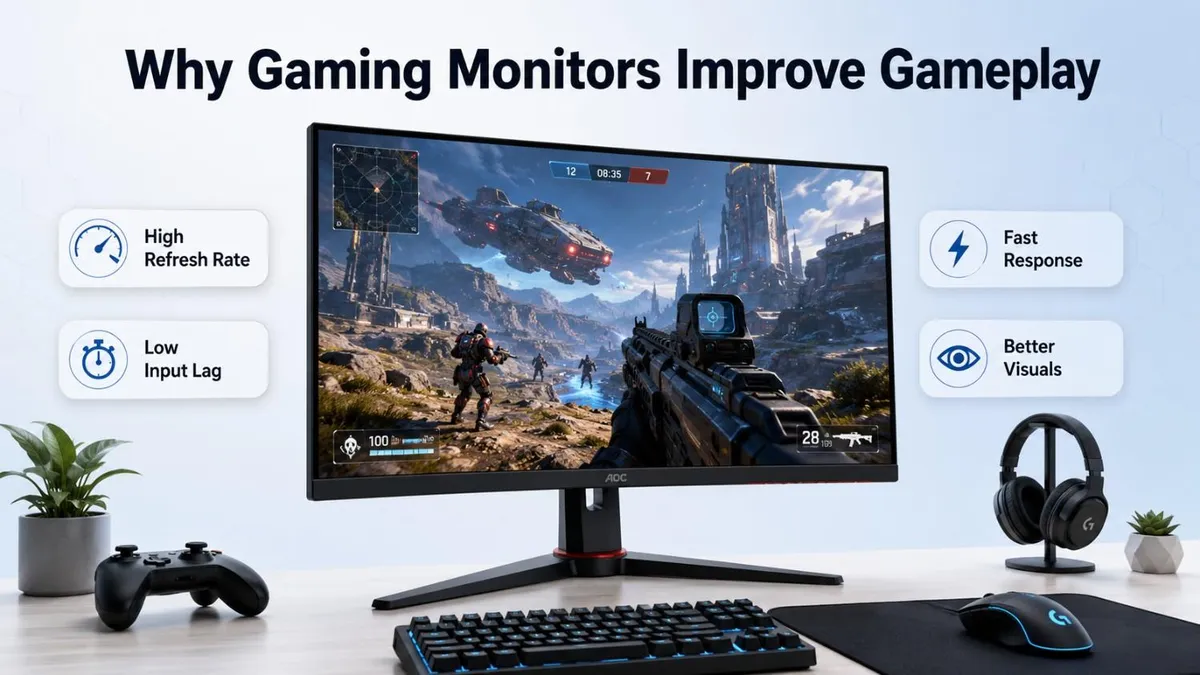
A gaming monitor is not just a display. It is the screen that shows every move, frame, color, and reaction from your PC or console.
A powerful gaming setup can produce high FPS and detailed graphics, but a weak monitor may not show that performance properly. This is why the monitor plays a big role in how smooth, sharp, and responsive a game feels.
Why a Regular Monitor May Not Be Enough
A regular monitor can run games, but it is not always made for fast gameplay. It works well for office work, browsing, movies, and everyday use. But gaming needs quicker screen updates, clearer motion, and lower delay.
Here is where a regular monitor may fall short:
|
Problem |
What You May Notice |
|
Low refresh rate |
Movement feels less smooth |
|
Slow response time |
Fast action looks blurry |
|
High input lag |
Controls feel slightly delayed |
|
No Adaptive Sync |
Screen tearing or stutter may appear |
|
Basic display quality |
Graphics may look less sharp or less colorful |
For example, your PC may produce high FPS, but if your monitor is only 60Hz, you will not fully see that smooth performance.
That is why a gaming monitor is useful. It helps games feel faster, cleaner, and more connected to your actions.
How Refresh Rate Makes Gameplay Smoother
Refresh rate is one of the biggest reasons gamers choose a gaming monitor. It shows how many times the monitor updates the image per second.
A normal 60Hz monitor refreshes the screen 60 times per second. But gaming monitors often come with 120Hz, 144Hz, 165Hz, 180Hz, 240Hz, or even higher refresh rates. In a shooting game, you often need to turn quickly, aim fast, and follow moving enemies. A higher refresh rate helps the movement look more natural, so it becomes easier to track what is happening on the screen.
Why Does Refresh Rate Matter?
A higher refresh rate makes gameplay feel:
- Smoother when you move around
- Faster when you aim or turn
- Clearer during quick action
- More responsive in competitive games
Best Refresh Rates for Different Gamers
- 60Hz: Basic gaming
- 120Hz to 144Hz: Good upgrade for casual and console gaming
- 165Hz to 180Hz: Great for smooth PC gaming
- 240Hz or higher: Best for competitive FPS and esports players
Response Time and Input Lag
A gaming monitor is not only about smooth visuals. It also needs to react quickly when you press a key, move your mouse, or use a controller. Response time keeps fast movement clear. Input lag keeps your actions quick. Together, they help you play with better control and confidence.
What is Response Time?
Response time means how fast the monitor pixels change from one color to another.
Lower response time helps reduce:
- Motion blur
- Ghosting
- Smudgy movement
- Unclear fast action
For gaming, a monitor with 1ms to 5ms response time is usually better.
What is Input Lag?
Input lag means the delay between your action and what you see on the screen.
For example:
You move your mouse to aim at an enemy. If the monitor has high input lag, the movement may appear a little late on the screen.
That small delay can matter a lot in:
- FPS games
- Racing games
- Fighting games
- Battle royale games
- Competitive esports
Why Gamers Should Care
A monitor with low response time and low input lag makes gameplay feel:
- Faster
- Sharper
- More accurate
- More connected to your actions
How Adaptive Sync Helps Reduce Screen Tearing
Sometimes, a game may look like the screen is split or broken for a moment. This is called screen tearing.
It usually happens when your graphics card and monitor are not perfectly matched while showing frames. If your game FPS keeps changing between 90, 120, and 144 FPS, Adaptive Sync helps the monitor adjust with it. This reduces tearing and makes the game feel more natural. Adaptive Sync is useful because games do not always run at the same FPS. It helps keep the screen smooth when the frame rate goes up and down during gameplay.
What Does Screen Tearing Look Like?
You may notice:
- Broken lines across the screen
- Image splitting during fast movement
- Uneven motion while turning or moving
- Gameplay that feels less smooth
This can be annoying, especially in fast games.
How Adaptive Sync helps
Adaptive Sync helps the monitor match its refresh rate with the frame rate coming from the graphics card.
Popular Adaptive Sync technologies include:
- AMD FreeSync
- NVIDIA G-Sync
- Adaptive Sync compatible monitors
Why it matters for gaming
Adaptive Sync makes gameplay feel:
- Smoother
- Cleaner
- More stable
- Less distracting
Why Resolution and Screen Size Matter in Gaming
A gaming monitor should not only be fast. It should also show the game clearly. That is where resolution and screen size become important.
What is Resolution?
Resolution means how many pixels the monitor uses to show the image. More pixels usually mean sharper details. If you play competitive games, a 24-inch or 27-inch monitor can help you focus better. But if you love story games, racing, or open-world titles, a bigger or ultrawide screen can make the game feel more realistic. A higher resolution gives sharper visuals. A better screen size gives more comfort and immersion. The right choice depends on how you play and what type of games you enjoy most.
Common gaming monitor resolutions are:
- Full HD 1080p: Good for budget and competitive gaming
- QHD 1440p: Better sharpness with smooth performance
- 4K UHD: Best for high detail and realistic visuals
- Ultrawide: Great for racing, simulation, and open-world games
Why Screen Size Matters
Screen size affects how comfortable and immersive the game feels.
- 24-inch: Good for competitive FPS gaming
- 27-inch: Best balance for most gamers
- 32-inch: Better for 4K and cinematic gaming
- Ultrawide monitors: More immersive for racing, adventure, and simulation games
Panel Type: IPS, VA, OLED, and Which One Is Better for Gaming
Panel type affects how your games look and feel. It controls color quality, contrast, viewing angle, motion clarity, and black level. In a horror or open-world game, deeper blacks and better contrast can make the scene feel more realistic. But in a fast shooting game, clear motion and low blur are more important. Do not choose a monitor only by panel type. Also check refresh rate, response time, resolution, brightness, and adaptive sync.
Common Gaming Monitor Panel Types
- IPS Panel: Best for balanced gaming, good colors, and wide viewing angles.
- VA Panel: Better contrast and deeper blacks, good for movies and story games.
- OLED Panel: Excellent black level, fast response, and premium visuals.
- TN Panel: Very fast, but color and viewing angles are weaker than modern IPS or OLED.
Which Panel is Good for Which Gamer?
- Competitive gamers: IPS or OLED is usually better because motion looks cleaner.
- Story and open-world gamers: VA, Mini-LED, or OLED can feel more immersive.
- Casual gamers: IPS is a safe and balanced choice.
- Premium gamers: OLED gives the best visual feel, especially in dark scenes.
IPS is the safest all-round choice. VA is good for contrast. OLED gives the best premium experience. The best panel depends on what type of games you play most.
Why Color, Brightness, and HDR Matter in Gaming
Speed is important, but visuals also matter. A good gaming monitor should make games look clear, colorful, and realistic. In a racing game, better color and HDR can make sunlight, reflections, roads, and car details look more realistic. In a story game, dark scenes and bright effects feel more dramatic. Color, brightness, and HDR do not only make games look beautiful. They also help you see details better and enjoy a more immersive gaming experience.
Why color quality matters
Better color helps game worlds look more natural and enjoyable.
It improves:
- Character details
- Skin tones
- Grass, sky, water, and shadows
- Weapons, cars, buildings, and effects
- Overall game atmosphere
Why brightness matters
Good brightness helps you see clearly in different lighting conditions.
It is useful when:
- You play in a bright room
- The game has dark scenes
- You need to spot enemies in shadows
- You want better visual clarity
What does HDR do?
HDR means High Dynamic Range. It improves the difference between bright and dark areas.
With good HDR, you can enjoy:
- Brighter explosions
- Deeper shadows
- More realistic lighting
- Better contrast
- More cinematic visuals
Which Gaming Monitor Fits Your Gaming Style?
Not every gamer needs the same type of monitor. Some players want faster reaction for competitive matches, while others want better color, sharper graphics, and a more immersive world. That is why the right gaming monitor depends on how you play.
Choose Based on Your Gaming Habit
|
Gaming Style |
What Matters Most |
Best Monitor Features |
|
Competitive gaming |
Speed and control |
High refresh rate, low input lag, low response time |
|
Casual gaming |
Smooth and comfortable play |
144Hz or higher refresh rate, good color, Adaptive Sync |
|
Story and open-world games |
Visual quality and immersion |
QHD or 4K resolution, better contrast, HDR, larger screen |
|
Console gaming |
Smooth output and compatibility |
HDMI support, 120Hz refresh rate, low input lag |
|
Racing and simulation |
Wide view and realism |
Curved monitor, ultrawide screen, good color and contrast |
Final Buying Tip
Do not buy a monitor only because it has the word “gaming” in its name. Look at the features that actually improve your experience: refresh rate, response time, input lag, resolution, panel type, Adaptive Sync, and screen size.
A good gaming monitor should match your games, your device, your desk space, and your budget. When you choose the right one, every game feels smoother, clearer, and more enjoyable.
Common Mistakes to Avoid
Buying a gaming monitor can be confusing because every model looks attractive on paper. But not every “gaming” monitor gives the same experience.
Only Looking at Refresh Rate
A 240Hz monitor sounds great, but refresh rate is not everything.
Also check:
- Response time
- Input lag
- Panel type
- Resolution
- Adaptive Sync support
Thinking 1MS Always Means Perfect Performance
Many monitors advertise 1ms response time, but real performance can vary. A good monitor should reduce blur, ghosting, and smudgy movement in actual gameplay.
Ignoring Your Graphics Card
If your PC cannot produce high FPS, you may not fully use a very high refresh rate monitor.
Simple example:
- Weak GPU + 240Hz monitor = limited benefit
- Strong GPU + high refresh monitor = better performance
Choosing the Wrong Screen Size
Bigger is not always better.
- Competitive gamers may prefer 24-inch or 27-inch
- Story gamers may enjoy 27-inch, 32-inch, or ultrawide
- Small desks need a comfortable size
Buying HDR without checking quality
Some monitors support HDR, but the HDR quality may not be impressive. Good HDR needs strong brightness, contrast, and proper display quality.
Forgetting About Comfort
A monitor should be comfortable for long gaming sessions.
Check if it has:
- Height adjustment
- Tilt support
- Good viewing angle
- Eye comfort features
- VESA mount support
Final Thoughts
A gaming monitor is important because it improves the way you see, feel, and control the game. It makes gameplay smoother, reduces blur, lowers delay, improves visuals, and helps you enjoy your gaming setup properly.
A powerful PC or gaming console can create great performance, but the monitor is where you actually experience it. If the monitor is slow or unclear, the game will not feel as good as it should.




No comments yet. Be the first to comment!