


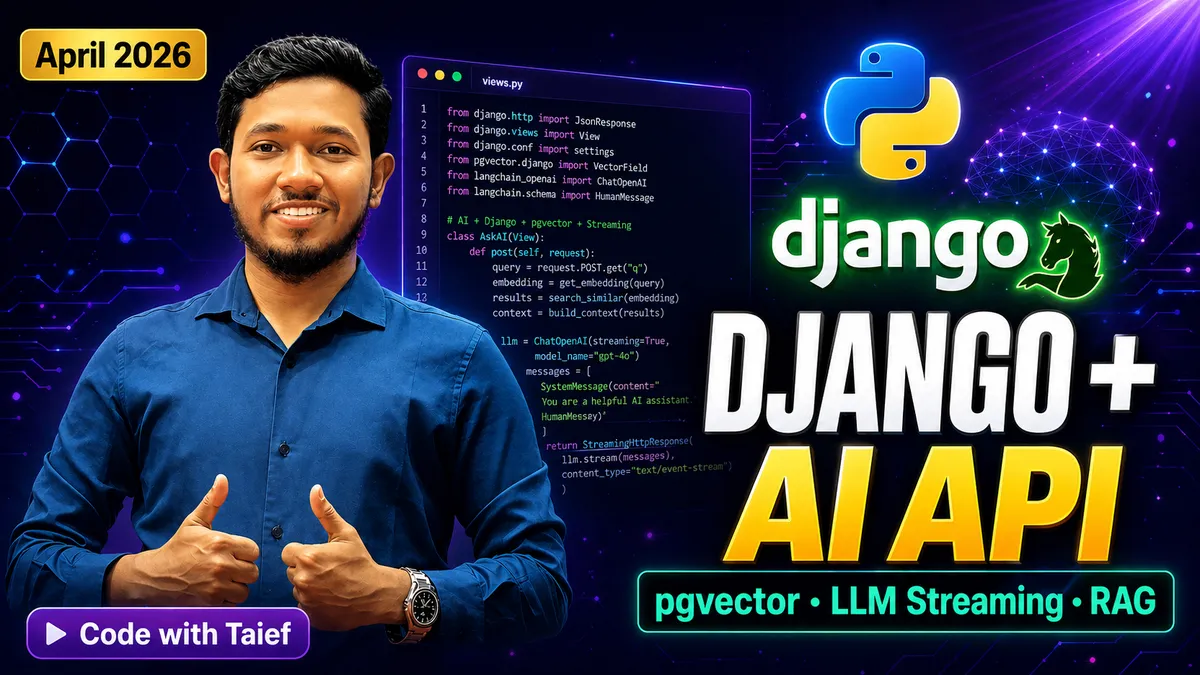
April 2026 · Django & AI
Building AI-Powered REST APIs with Django & Python in 2026 — The Complete Production Guide
From LLM integration to vector search with pgvector — everything you need to ship a real-world AI backend today.
In 2026, the question is no longer "should I add AI to my Django app?" — it is "how fast can I ship it?" LLMs are now commoditized. Vector databases are a single pip install away. And Django's mature ORM, DRF ecosystem, and async support make it the ideal backend for production AI applications.
In this guide — written by Tahamidur Taief — you will build a fully working AI-powered REST API that can semantically search content using vector embeddings, stream responses from an LLM, and handle production-grade async workloads. Every code block is real. Every pattern is battle-tested.
🚀 What You Will Build
- A Django REST API with LLM-powered Q&A endpoint
- pgvector integration for semantic search on PostgreSQL
- Async Django views for streaming LLM responses
- Production-ready Celery + Redis background task queue for AI jobs
- Rate limiting, caching, and error handling for AI endpoints
1. Project Setup & Dependencies
Start with a clean environment. In 2026, the recommended stack is Python 3.13+, Django 5.2, and PostgreSQL 16 with the pgvector extension.
bash — terminal
# Create virtual environment
python -m venv .venv
source .venv/bin/activate  # Windows: .venv\Scripts\activate

# Install core dependencies
pip install django==5.2 djangorestframework psycopg[binary] \
            pgvector openai celery redis django-redis \
            python-decouple gunicorn

# Start Django project
django-admin startproject ai_backend .
python manage.py startapp api
Your settings.py should include the following database configuration to enable pgvector:
python — settings.py
DATABASES = {
    "default": {
        "ENGINE": "django.db.backends.postgresql",
        "NAME": config("DB_NAME"),
        "USER": config("DB_USER"),
        "PASSWORD": config("DB_PASSWORD"),
        "HOST": config("DB_HOST", default="localhost"),
        "PORT": config("DB_PORT", default="5432"),
    }
}

INSTALLED_APPS = [
    ...
    "rest_framework",
    "api",
]

# Cache with Redis
CACHES = {
    "default": {
        "BACKEND": "django_redis.cache.RedisCache",
        "LOCATION": config("REDIS_URL", default="redis://127.0.0.1:6379/1"),
    }
}
2. Defining the Vector-Enabled Model
pgvector stores embedding vectors directly inside PostgreSQL. This means no separate vector database — your embeddings live alongside your relational data with full transactional safety.
python — api/models.py
from django.db import models
from pgvector.django import VectorField

class Document(models.Model):
    title       = models.CharField(max_length=300)
    content     = models.TextField()
    # 1536-dim for text-embedding-3-small
    embedding   = VectorField(dimensions=1536, null=True, blank=True)
    created_at  = models.DateTimeField(auto_now_add=True)

    class Meta:
        indexes = [
            # HNSW index for fast approximate nearest-neighbour search
            models.Index(
                fields=["embedding"],
                name="document_embedding_hnsw_idx",
                opclasses=["vector_cosine_ops"],
            )
        ]

    def __str__(self):
        return self.title
💡 Pro Tip by Tahamidur Taief: Always use HNSW (Hierarchical Navigable Small World) indexes in production. It offers superior query speed over IVFFlat once you exceed 100,000 vectors.
3. Embedding Generation with OpenAI
Before we can search semantically, every document needs an embedding — a numerical representation of its meaning. We use OpenAI's text-embedding-3-small model, which delivers excellent quality at low cost.
python — api/services.py
from openai import OpenAI
from django.conf import settings

client = OpenAI(api_key=settings.OPENAI_API_KEY)

def generate_embedding(text: str) -> list[float]:
    """Generate a 1536-dim embedding for a given text string."""
    text = text.replace("\n", " ").strip()
    response = client.embeddings.create(
        input=[text],
        model="text-embedding-3-small",
    )
    return response.data[0].embedding


def embed_and_save(document_id: int) -> None:
    """Fetch document, generate embedding, and persist to DB."""
    from .models import Document
    doc = Document.objects.get(pk=document_id)
    doc.embedding = generate_embedding(doc.content)
    doc.save(update_fields=["embedding"])
4. Semantic Search API View
Now the magic: a DRF view that converts a user's question into an embedding, then queries PostgreSQL for the most semantically similar documents using cosine distance.
python — api/views.py
from rest_framework.views import APIView
from rest_framework.response import Response
from rest_framework import status
from pgvector.django import CosineDistance
from .models import Document
from .services import generate_embedding

class SemanticSearchView(APIView):
    """
    POST /api/search/
    Body: { "query": "How does attention work in transformers?" }
    Returns: top-5 most semantically relevant documents
    """

    def post(self, request):
        query = request.data.get("query", "").strip()
        if not query:
            return Response(
                {"error": "query field is required."},
                status=status.HTTP_400_BAD_REQUEST
            )

        query_embedding = generate_embedding(query)

        results = (
            Document.objects
            .exclude(embedding=None)
            .annotate(distance=CosineDistance("embedding", query_embedding))
            .order_by("distance")[:5]
            .values("id", "title", "content", "distance")
        )

        return Response({"results": list(results)})
5. LLM-Powered Q&A with Streaming (Async Django)
Retrieval-Augmented Generation (RAG) is the dominant pattern for AI products in 2026. The idea: retrieve relevant documents via vector search → inject them as context → let the LLM generate an answer. We'll stream the response token-by-token using Django's async streaming support.
python — api/views.py (continued)
from django.http import StreamingHttpResponse
from openai import AsyncOpenAI
from pgvector.django import CosineDistance
from .models import Document
from .services import generate_embedding
import asyncio, json

async_client = AsyncOpenAI()

class RAGStreamView(APIView):
    """
    POST /api/ask/
    Body: { "question": "Explain transformers simply." }
    Returns: server-sent-events stream of the LLM answer.
    """

    async def post(self, request):
        question = request.data.get("question", "").strip()
        if not question:
            return Response({"error": "question is required."}, status=400)

        # Step 1 – Semantic retrieval
        q_emb = generate_embedding(question)
        docs = (
            Document.objects
            .exclude(embedding=None)
            .annotate(dist=CosineDistance("embedding", q_emb))
            .order_by("dist")[:3]
        )
        context = "\n\n---\n\n".join(
            [f"Title: {d.title}\n{d.content}" async for d in docs]
        )

        # Step 2 – Build prompt
        system_prompt = (
            "You are a helpful assistant. Answer ONLY using the context below.\n\n"
            f"CONTEXT:\n{context}"
        )

        # Step 3 – Stream LLM response
        async def token_stream():
            stream = await async_client.chat.completions.create(
                model="gpt-4o",
                messages=[
                    {"role": "system", "content": system_prompt},
                    {"role": "user",   "content": question},
                ],
                stream=True,
            )
            async for chunk in stream:
                delta = chunk.choices[0].delta.content
                if delta:
                    yield f"data: {json.dumps({'token': delta})}\n\n"

        return StreamingHttpResponse(
            token_stream(),
            content_type="text/event-stream"
        )
6. Background Embedding with Celery + Redis
Never block your API request on embedding generation — it takes 200–800ms per call. Offload it to Celery so the user gets an instant response while embeddings are generated in the background.
python — api/tasks.py
from celery import shared_task
from .services import embed_and_save

@shared_task(bind=True, max_retries=3, default_retry_delay=10)
def generate_document_embedding(self, document_id: int):
    """Background task: generate and store embedding for a document."""
    try:
        embed_and_save(document_id)
    except Exception as exc:
        raise self.retry(exc=exc)
python — api/views.py (document upload)
class DocumentCreateView(APIView):
    def post(self, request):
        title   = request.data.get("title")
        content = request.data.get("content")
        doc = Document.objects.create(title=title, content=content)

        # Fire-and-forget embedding task
        generate_document_embedding.delay(doc.id)

        return Response(
            {"id": doc.id, "status": "Document saved. Embedding in progress."},
            status=201
        )
7. URL Configuration
python — urls.py
from django.urls import path
from api.views import DocumentCreateView, SemanticSearchView, RAGStreamView

urlpatterns = [
    path("api/documents/", DocumentCreateView.as_view()),
    path("api/search/",    SemanticSearchView.as_view()),
    path("api/ask/",       RAGStreamView.as_view()),
]
8. Running the Stack
bash — start all services
# 1. Apply migrations
python manage.py migrate

# 2. Enable pgvector extension in PostgreSQL (run once)
python manage.py dbshell
# Inside psql: CREATE EXTENSION IF NOT EXISTS vector;

# 3. Start Django (async via ASGI)
uvicorn ai_backend.asgi:application --host 0.0.0.0 --port 8000 --reload

# 4. Start Celery worker (separate terminal)
celery -A ai_backend worker -l info

# 5. Start Redis (if not running via Docker)
redis-server
⚡ Key Takeaways
- pgvector + PostgreSQL eliminates the need for a separate vector DB for most production apps
- Async Django views (ASGI) enable true LLM streaming without blocking threads
- Celery + Redis is the right pattern for embedding generation at scale
- RAG (Retrieval-Augmented Generation) is now the default architecture for AI-powered apps
- Django 5.2 is production-ready for AI workloads — mature, stable, fast
The Django ecosystem in 2026 is more capable than ever. With async views, first-class PostgreSQL support, and the Python AI library ecosystem behind it, there is no reason to reach for a different framework to build your next AI product. Start small, iterate fast, and let the proven patterns do the heavy lifting.
Found this useful? Share it with your team — and follow along for more deep-dives on Python, Django, and AI engineering.
✍️ About the Author — Tahamidur Taief
Tahamidur Taief (also known as Taief or Code with Taief) is a software engineer and educator specialising in Python, Django, AI backends, and full-stack web development. He creates in-depth tutorials, courses, and open-source projects to help developers level up their skills.




No comments yet. Be the first to comment!